Display SMS Content
Super Admin users have the ability to set up the system to display SMS content in the Events table.
There are two states for the View SMS Message Content feature:
- Disabled (Default): Users do not have access to the SMS binary file in the Events table.
- Activated : Users can view the SMS binary file displayed in the Events table.
A screen capture of the View SMS Content settings is shown here.
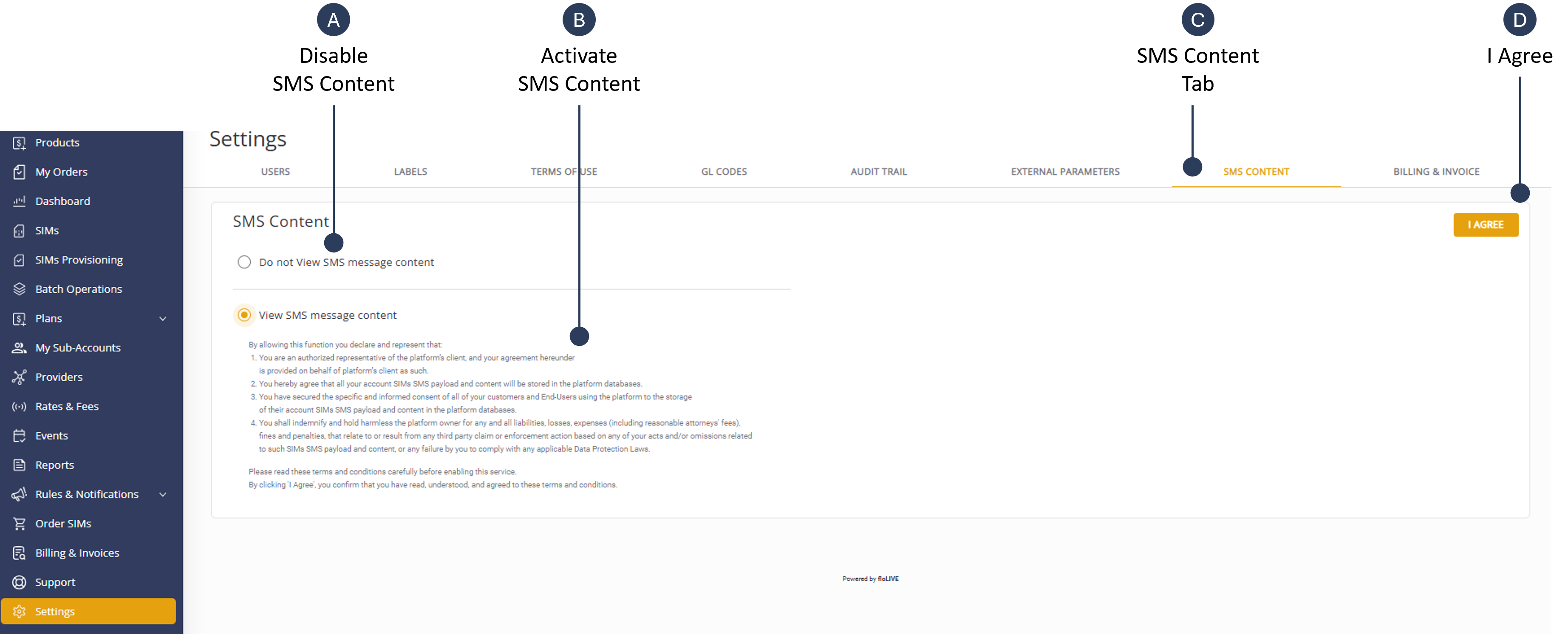
To display the SMS Content in the Events table, do these steps:
- Select Settings from the navigation sidebar menu.
- Select the SMS Content tab.
- Check the View SMS Message Content option.
- Click I Agree to update system.
NOTE: Users can now view SMS messages in the Events Table on the Events Page